
AI Video Generator - Clips AI
Photo & Video Editors - Instant SolutionArt & Design
4.32.24K Reviews
- Version
- 3.1.9
- Installs
- 5.00M
- Age Rating
- Everyone
Screenshots
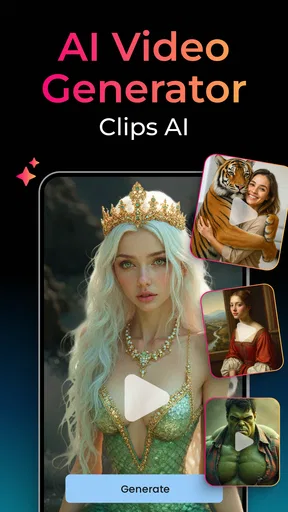
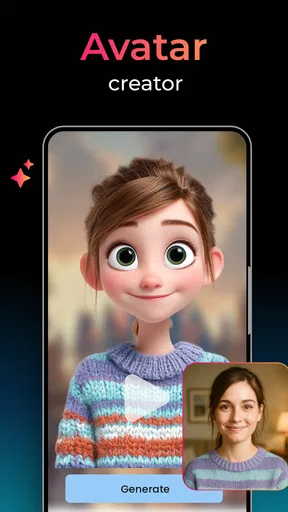
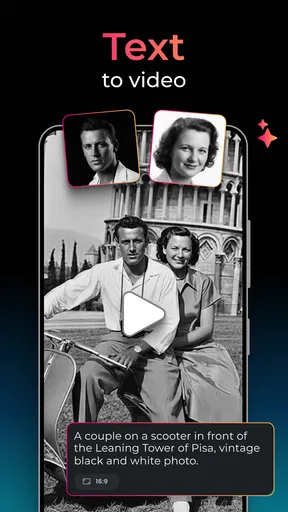
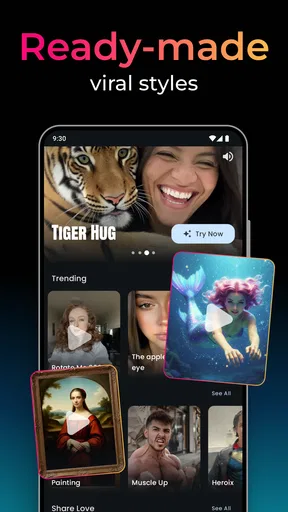
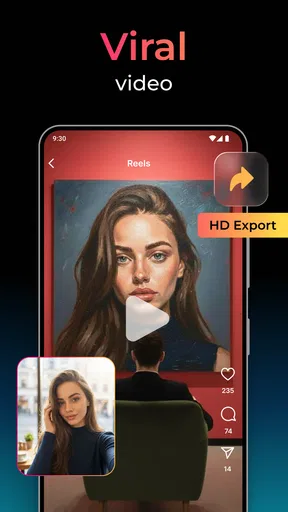
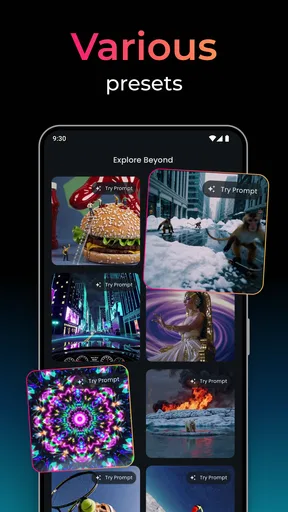
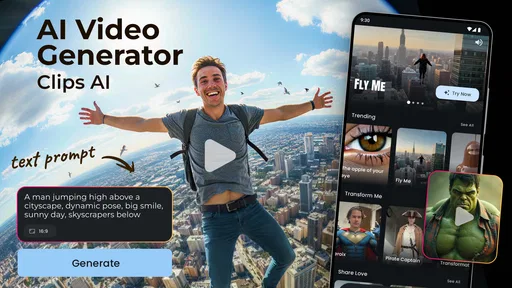
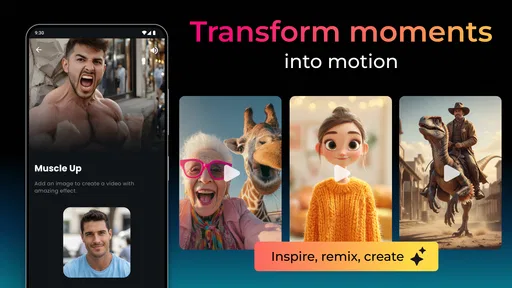
Our Review of AI Video Generator - Clips AI
 Analysis by Appyee
I look for one thing first in an AI video app: does it make it easier to get from an idea to a shareable clip, without pretending that automation can replace every editing decision? AI Video Generator - Clips AI is aimed at that quick, approachable kind of creation. Its central appeal is turning written prompts or still images into video, so it suits people who want a starting point fast rather than a complex editing workstation. My overall view is that it is most useful when speed and experimentation matter more than precise control.
Where an AI-first workflow can help
Text-to-video and image-to-video tools address a real everyday problem: sometimes you have a message or a picture ready, but not the footage, time, or editing confidence to make a video from it. With this app, I would treat the generated result as a draft to assess, not as a finished production guaranteed to match the idea in my head. That distinction matters. AI can help turn a rough concept into something visual, but the creator still needs to decide whether the result communicates the right mood and makes sense to an audience.
For example, imagine I want to make a quick visual post about a weekend outing. I could begin with a photo that captures the place and use it as the basis for a short moving piece, then check whether the motion and overall feel suit the story. If the result is appealing but not quite right, I would revise the prompt or choose a different image rather than forcing a weak first attempt into a finished post. This kind of small, low-pressure experiment is a better fit than relying on one generation for an important announcement.
What to check before sharing a result
Generated video can look polished at a glance while still missing the details that make a clip feel personal. I recommend checking the subject, framing, movement, and any visible text from beginning to end. Pay particular attention to whether the motion draws attention away from the point of the image, or whether the output suggests details that were not part of your original idea. A few seconds spent reviewing the whole clip can save an awkward post.
I would also keep the intended destination in mind before making anything. A clip meant to catch attention in a social feed has different needs from a video that explains a product or accompanies a work presentation. If the message depends on exact wording, branding, or a carefully chosen sequence of real events, generated visuals may be less suitable than footage assembled in a conventional editor. The more important accuracy is, the more closely I would inspect the result and the less I would rely on automation alone.
Who is likely to enjoy it
This is a sensible app to try if you are curious about AI visuals, create casual social content, or want a quick way to explore an idea without first learning a timeline-based editor. It may also appeal to a small creator who needs visual variety for informal posts and is comfortable reviewing each result before publishing. The key advantage is lowering the effort needed to begin; it does not remove the need for a point of view or a final quality check.
I would be more cautious if you need frame-by-frame precision, dependable continuity between shots, or a repeatable visual style for a client or campaign. In those situations, a standard mobile video editor—or desktop software for a more involved project—usually gives clearer control over timing, footage, and the final cut. This app is better approached as a creative shortcut and idea generator than as a replacement for tools built around detailed manual editing.
Getting Started with Clips AI
First things first, downloading AI Video Generator - Clips AI is a breeze from both the Play Store and the App Store. Once installed, you're greeted with a sleek and user-friendly interface. The app doesn't bombard you with complicated menus — it's all about simplicity, which I appreciate. The onboarding process is a quick tour of features, and in no time, you’re ready to create your first masterpiece.
Intuitive Interface
Right off the bat, Clips AI scores points for its intuitive design. The main screen presents you with options to start a new project or browse through templates. What’s cool is that the app comes loaded with AI-powered templates designed for various themes—be it travel vlogs, birthday greetings, or professional presentations. These templates are a godsend if you’re unsure where to start.
AI-Powered Editing Features
Now, let’s talk about the real deal: the AI editing capabilities. Clips AI leverages AI to make the editing process almost magical. You can upload your clips, and the app will suggest edits, transitions, and even music. The AI analyzes your footage and automatically cuts out redundant scenes, leaving you with a polished video. It's like having a personal editor in your pocket!
One feature I found particularly impressive is the auto-captioning. The app can generate captions for your videos with remarkable accuracy, saving you the hassle of manual typing. Plus, it supports multiple languages, which is a great bonus for multilingual creators.
Customization and Flexibility
While the AI does a fantastic job, you still have full control over the editing process. You can tweak the suggestions, add your own clips, and play around with colors and fonts. The drag-and-drop functionality makes it easy to rearrange scenes and add effects without breaking a sweat. For those who like to experiment, the app offers a plethora of filters and transitions to choose from.
Performance and Speed
In terms of performance, Clips AI holds up well. The app runs smoothly, and rendering times are quite decent, even for longer videos. However, make sure your device is reasonably modern to avoid any lag, especially when working with high-resolution footage.
Sharing and Exporting
Once you’re satisfied with your creation, sharing it is a cinch. Clips AI allows you to export videos in various resolutions, perfect for social media sharing or high-quality presentations. You can directly upload to platforms like YouTube, Instagram, or save it to your device. The app also supports cloud storage options, which is a nice touch for those who like to keep their projects handy.
What the price and audience mean in practice
As a free art-and-design app from Photo & Video Editors - Instant Solution, Clips AI is easy to consider as a low-commitment experiment. It has an Everyone age rating, and its average rating is 4.4 from around 182,000 ratings, with more than a million installs. Those figures suggest broad interest, but they are not a substitute for checking whether its particular style of AI output suits your needs.
The app is free to install, while in-app purchases range from $0.99 to $699.99 per item. That is a wide span, so I would inspect the purchase screen carefully before committing to anything and make sure I understand what an option includes. If I only wanted to test a simple personal project, I would start with whatever is available without paying and decide whether the results justify spending more. A high potential purchase price makes that pause especially worthwhile.
A useful way to test it without wasting effort
My preferred first test would be a low-stakes project with one clear purpose: a short invitation, a simple visual for a personal update, or a concept draft for a post. Use a specific prompt or an image with an obvious subject, then compare the output with what you meant to communicate. If the result misses the point, change one element at a time—such as the image or the wording—so you can tell what improved it. That is more informative than repeatedly generating variations without a plan.
For an image-led result, choose a source photo with a clean focal point and enough visual space around it. A crowded picture gives the system more competing details to interpret, which can make it harder to judge whether the motion supports the subject. For text-led work, keep the idea focused rather than packing several scenes or messages into one prompt. These are practical ways to improve the odds of getting a usable draft, not guarantees of a particular result.
I would save a copy of the source image and any original footage before experimenting, especially if the material matters. It also helps to watch an export with the sound on and off: a clip that feels complete with music may be less clear when viewed silently, while captions or on-screen details deserve their own check. If a project is intended for someone else, ask whether the generated style feels appropriate to that person or brand before sharing it as finished work.
How it compares with familiar editing apps
A conventional editor typically gives me a visible timeline and direct control over the order and duration of shots. That approach takes more hands-on work, but it is easier to make exact corrections and preserve real-world detail. An AI generator offers a different trade: it can help create motion from a prompt or still image and reduce the blank-page problem, but the result may need judgement and revision. Neither approach is automatically better; the right choice depends on whether I value speed of ideation or precise authorship for a particular clip.
For a family memory, a detailed tutorial, or an event recap where the truth of what happened matters, I would lean toward an editor built around the original footage. For a mood piece, a quick creative experiment, or a visual draft that does not need documentary accuracy, this app’s AI-first approach is easier to justify. I would also avoid assuming that an AI-generated clip can replace a carefully planned shoot when a specific person, product, or action must appear exactly as intended.
Practical limits worth keeping in mind
The main trade-off is that convenience can make the creative process feel less predictable. A prompt describes what I want, but it does not give me the same certainty as placing each real shot myself. That is why I would not build a deadline-sensitive project around a single attempt. Leave room to review, adjust, or switch to ordinary editing if the generated material does not meet the brief.
There is also a difference between a good-looking clip and a dependable communication tool. If the video needs exact captions, a specific sequence, or a consistent appearance across several pieces, I would check every detail and consider whether a traditional editor offers a safer route. Even when an automated suggestion saves time, the creator remains responsible for whether the final video is accurate, clear, and suitable to share.
The app is listed as released on April 19, 2024, and its current version is 3.1.2, with Android support starting at version 9. If you are choosing a device for it, those compatibility details are useful to check before installing. As with any creative app, I would also make sure I have enough room to keep source files and exports while working on a project, rather than discovering storage pressure halfway through.
Final Thoughts
Overall, AI Video Generator - Clips AI is a powerhouse for anyone looking to create professional-quality videos without diving into heavy editing software. Its AI-driven features streamline the process, making it accessible for beginners and efficient for seasoned creators. While it might not replace a full-fledged desktop editor for some, it’s a fantastic tool to have on the go. Whether you're a vlogger, a marketer, or someone who loves sharing moments, Clips AI is worth giving a shot.
If you're ready to unleash your creativity with a touch of AI magic, Clips AI might just be the app you were waiting for. Happy editing!
My recommendation is specific: try it when you have a clear idea but want help turning that idea into a visual draft, and judge the output before treating it as publish-ready. For exact edits, reliable continuity, or work where every detail must be controlled, use a conventional editor instead. If you are comfortable with that distinction—and cautious about optional purchases—Clips AI is an approachable way to explore AI video creation without making it your only tool.
Privacy and Permissions
See what permissions an app requests and how it handles your data.
- Photos/Media/Files
- read the contents of your USB storage, modify or delete the contents of your USB storage
- Storage
- read the contents of your USB storage, modify or delete the contents of your USB storage
- Wi-Fi connection information
- view Wi-Fi connections
- Other
- view network connections, full network access, control vibration, prevent device from sleeping, Google Play license check
Verdict
Strengths of AI Video Generator - Clips AI
- Easy-to-use interface for quick edits.
- Wide variety of templates available.
- Supports multiple video formats.
- Quick rendering times for fast outputs.
- Integrates well with social media platforms.
Limitations of AI Video Generator - Clips AI
- Limited music library options.
- Some features require in-app purchases.
- Occasional crashes on older devices.
- Lacks advanced editing tools for pros.
- Watermark on free version exports.
Other Releases by Photo & Video Editors - Instant Solution
View All
Beauty Makeup Editor & Camera
Beauty4.7
Similar Picks in This Category
View All
Canva: AI Photo & Video Editor
Canva4.8

PENUP – Drawing-sharing SNS
Samsung Electronics Co., Ltd.4.5

Crafto
Kutumb App4.6

Sketchbook
Sketchbook4.1

ibis Paint X
ibis inc.4.5

Adobe Express: AI Photo, Video
Adobe4.6
Frequently Asked Questions
What is AI Video Generator - Clips AI?
AI Video Generator - Clips AI is an innovative app that allows users to create professional-quality videos using artificial intelligence. It simplifies the video creation process by providing easy-to-use tools and automated features. Whether you are a content creator or a business professional, this app can enhance your video production capabilities.
Is AI Video Generator - Clips AI suitable for beginners?
Yes, AI Video Generator - Clips AI is designed to be user-friendly, making it accessible to beginners. The app offers a straightforward interface with guided tutorials that help users understand how to utilize its features effectively. Even if you have no prior video editing experience, you can create impressive videos with ease.
What features does AI Video Generator - Clips AI offer?
AI Video Generator - Clips AI provides a variety of features, including AI-powered editing, customizable templates, background music options, and text overlay tools. It also offers advanced features like voiceover integration and automatic scene transitions, allowing users to create polished, cinematic videos quickly.
Are there any subscription fees for AI Video Generator - Clips AI?
AI Video Generator - Clips AI offers a free version with basic features, but to access premium tools and advanced functionalities, a subscription is required. The app provides various subscription plans, which can be paid monthly or annually, catering to different user needs and budgets.
What devices are compatible with AI Video Generator - Clips AI?
AI Video Generator - Clips AI is compatible with both Android and iOS devices. It requires a minimum operating system version, which can be checked in the app store description. Ensuring your device meets these requirements will provide an optimal experience when using the app's features.
